

Question
How do you turn a new position into an experience people can understand?
Work
Positioning, competitive research, website design, product storytelling and implementation.
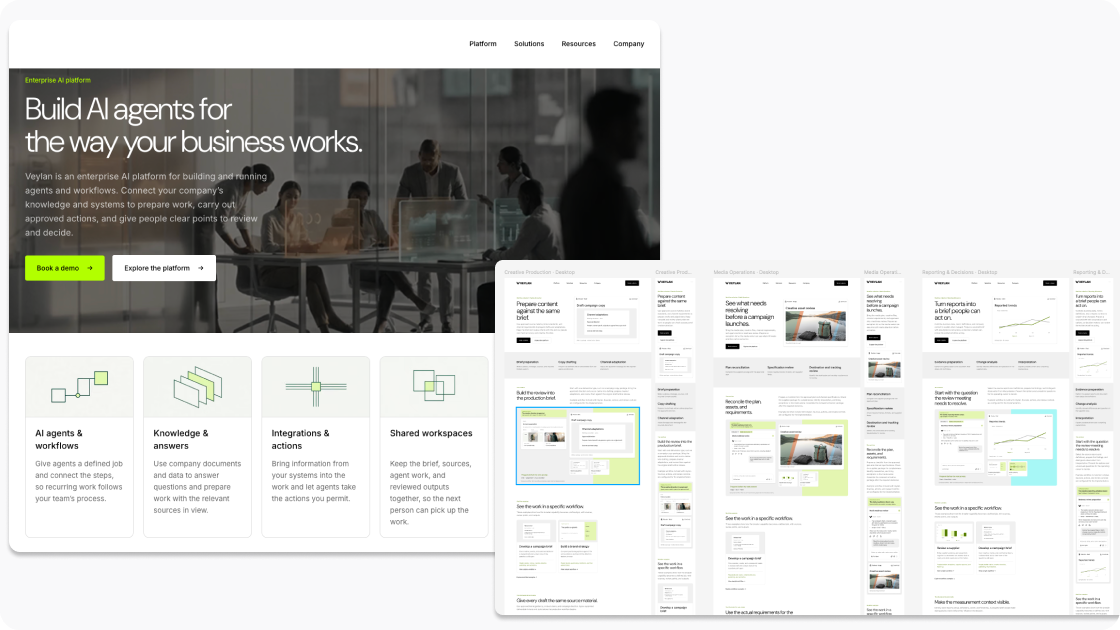
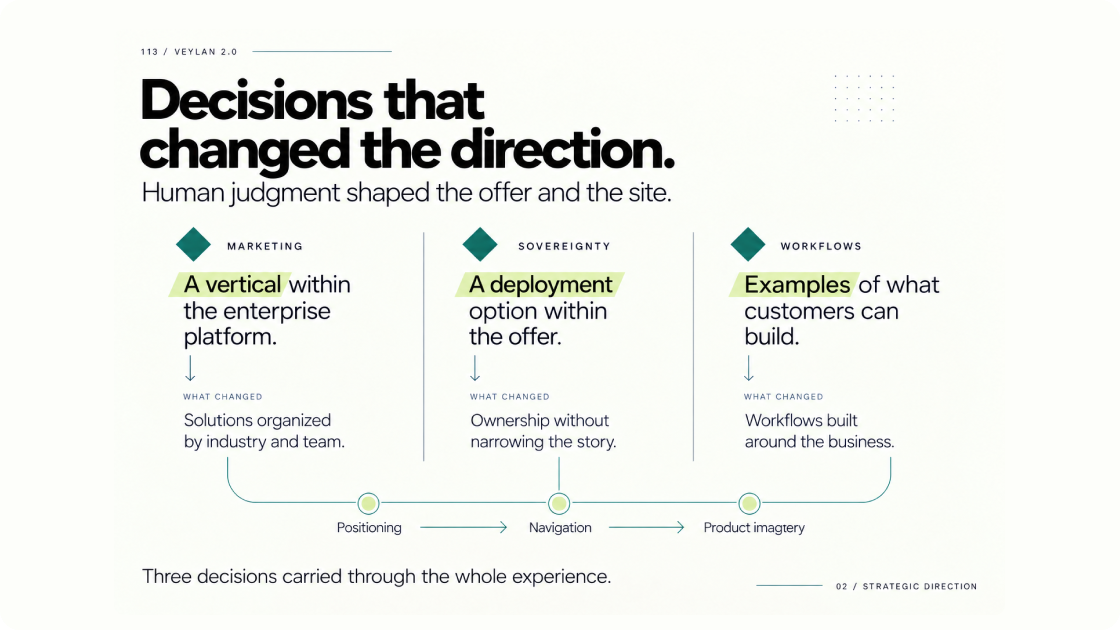
Veylan was expanding beyond its marketing origins into an enterprise platform for building and running AI agents and workflows. The challenge was to explain that broader offer while retaining a clear point of view about expertise, ownership and how people direct the work.
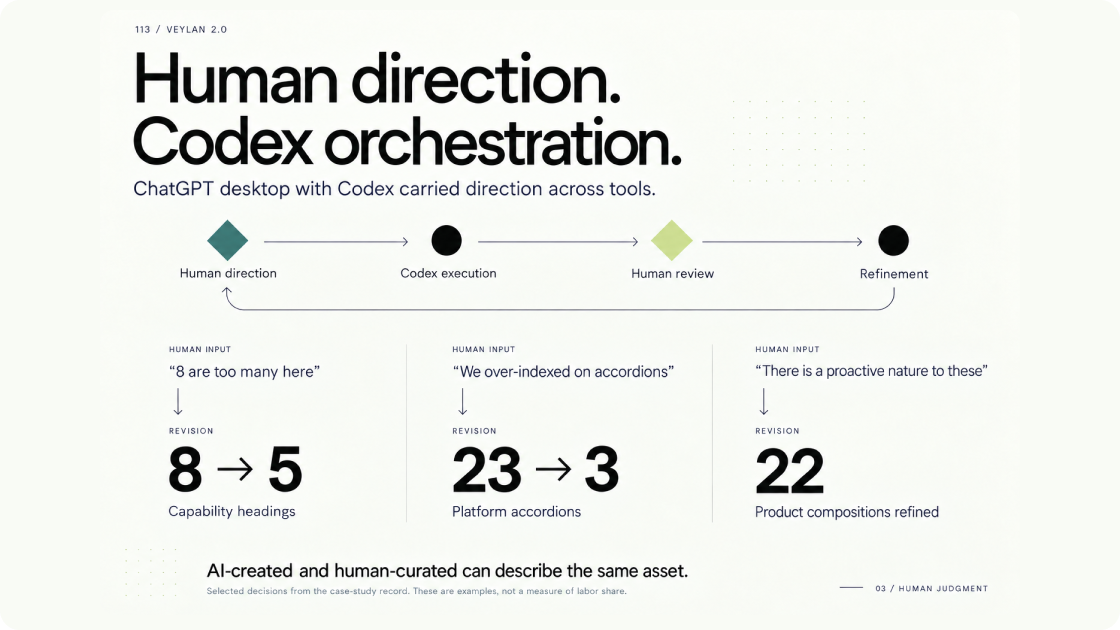
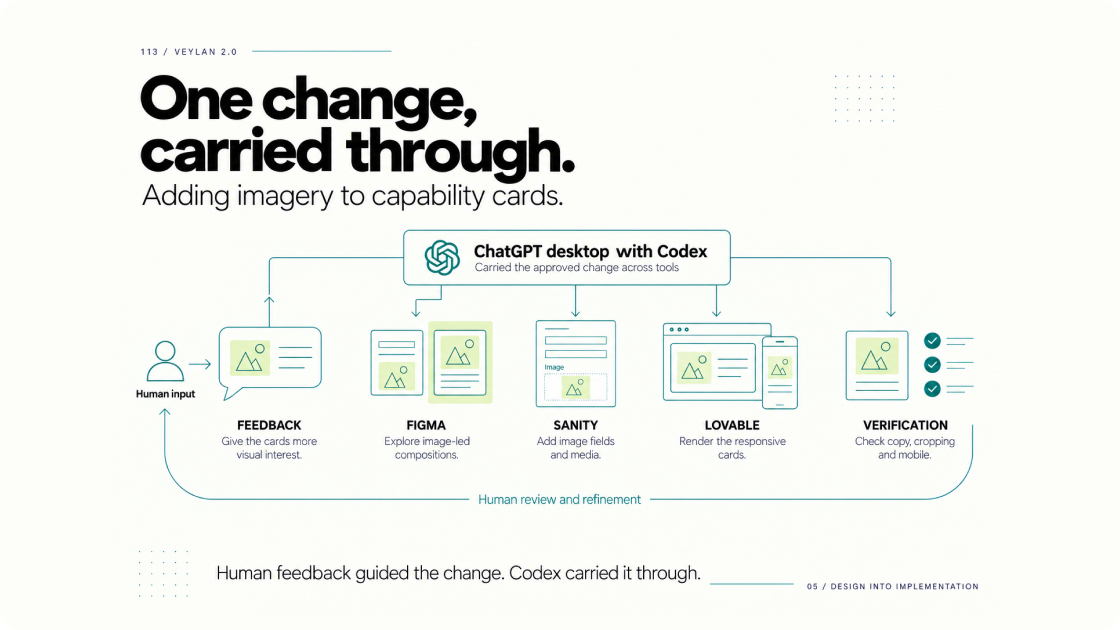
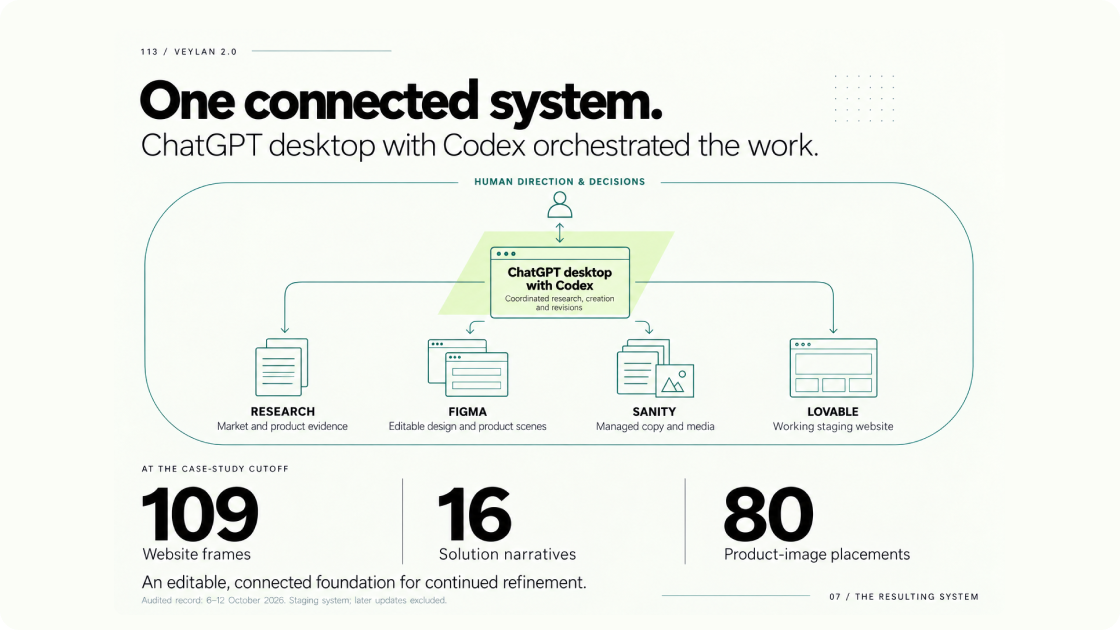
I used ChatGPT’s desktop app and Codex as the orchestration layer connecting the services across the build. A change in the message could lead to a different page structure. Composing a product image could reveal that a claim needed more evidence. Implementing a design could expose something the content model needed to support.
Start with the business direction
The starting material included brand strategy, leadership feedback, the existing website and market research. Veylan’s own brand strategy workflow also contributed to the exploration.
We examined several possible directions, including ownership, accountability and connected work. “Own how your business operates” became the organizing idea.
That still needed a concrete explanation. The homepage developed around “Build AI agents for the way your business works,” giving buyers a clear starting point for understanding the broader ambition.
Use comparison to sharpen the explanation
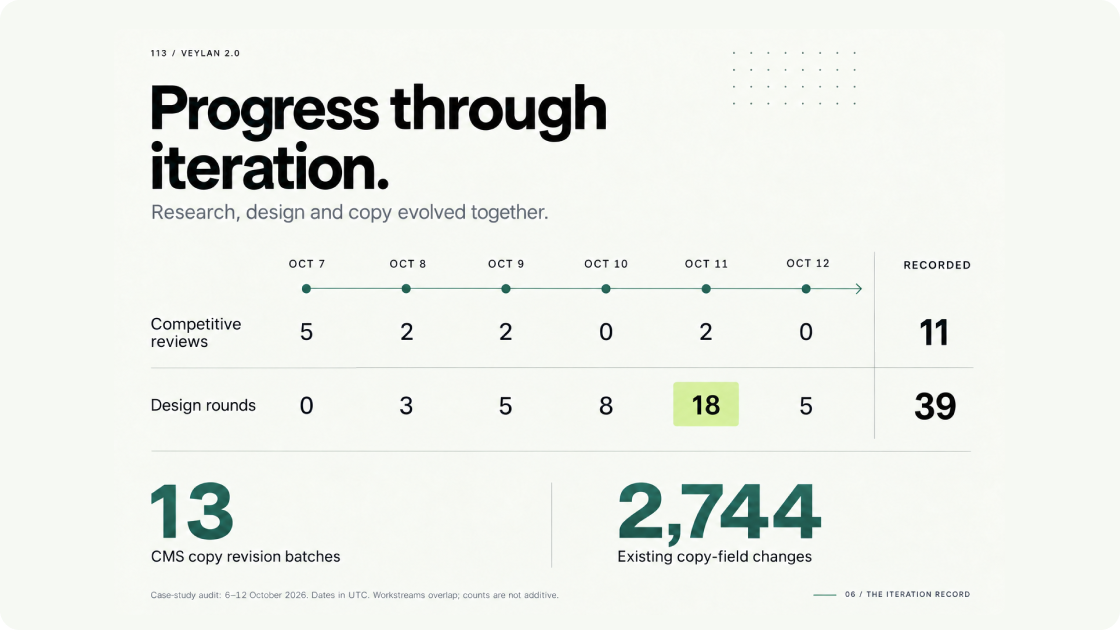
Competitive review continued as the work developed. Each comparison had a purpose: clarify the offer, examine the product evidence or reconsider how capabilities were grouped.
Reviews of Agentycs, Glean and StackAI helped challenge different parts of the story. The question was whether someone could understand what Veylan does, where it fits and what would justify choosing it.
Those reviews led to practical changes. Eight capability headings became five. Team, industry and workflow pages offered different ways to explore the same platform.
Research became useful through the decisions it changed.
Connect the services across the build
ChatGPT’s desktop app and Codex formed the orchestration layer for this exploration, connecting the different services throughout the build. I used that layer to bring together business context and research, develop instructions, review outputs and direct the next revision.
Figma provided the editable design environment. Sanity held the copy and media. Lovable carried the design into a working website. Through ChatGPT and Codex, I coordinated work across those services and translated findings from one into changes in another.
I supplied the direction, challenged the results and decided what to carry forward. ChatGPT and Codex helped turn that judgment into specific research tasks, copy revisions, design instructions and implementation changes.
That connection mattered because the work kept changing what we understood. Competitive research could expose a weak explanation. A page composition could reveal too much text. Product inspection could show that a claim needed stronger evidence. Each finding could inform the next revision across the wider system.
Moving between them made the positioning easier to assess. Dense explanations became visible as crowded pages. An intermediate Platform design with 23 accordions became three, allowing the main story to be read without repeatedly opening panels.
An early implementation exposed the importance of preserving those decisions: wording from a visual exploration displaced stronger positioning copy. We restored the message and clarified each source’s role. Sanity supplied the copy, Figma guided appearance and interaction, and the working site was checked against both.
The orchestration layer connected specialist services into one iterative build process. Keeping the message, designs and implementation aligned required deliberate review throughout.
Build the evidence around the buyer’s question
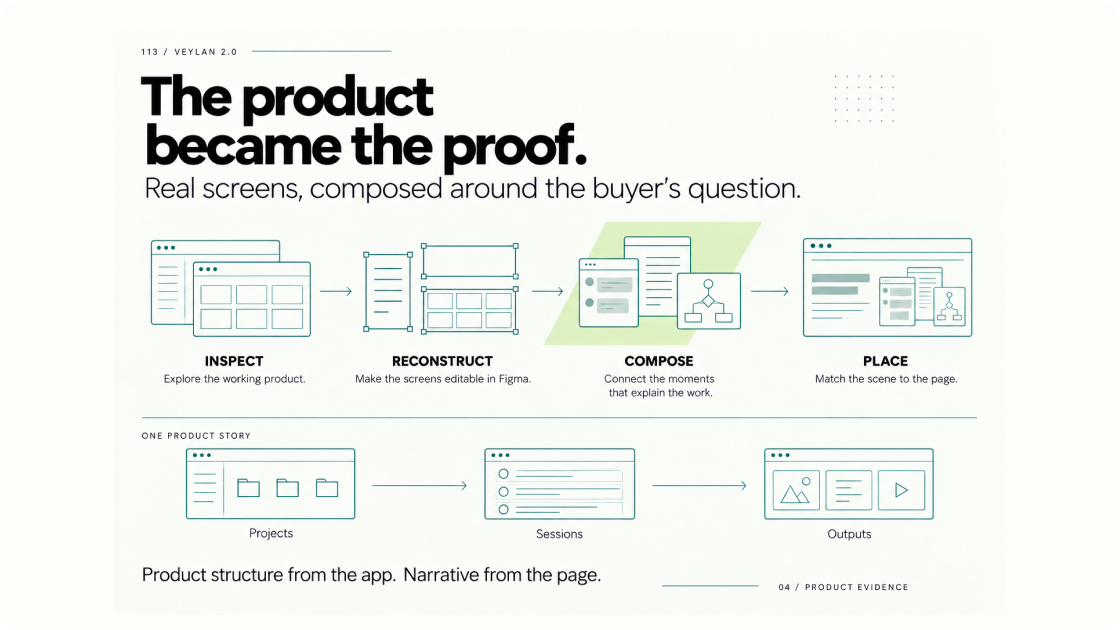
We reconstructed product views in Figma so the imagery could explain particular activities: starting a workflow, working within a project, reviewing an output or inspecting a run.
Each composition developed alongside the page’s message. A workspace story connected projects, sessions and deliverables. Other scenes showed how an event or changed condition could initiate work and where a person would enter to review or decide.
Product inspection also set boundaries. Available usage and estimated-cost views supported the control story. A spending-limit screen we could not verify stayed out of the imagery.
The product evidence helped determine what the website could responsibly promise.